| How
to use WELLON USB programmer series to program simultaneously
WELLON programmer series can make a computer operated multiple
programmer ssimultaneously. This feature can
improve work efficient and reduce the cost of product. In addition,
the different model Wellon programmer can work well together,
so can make the best of your facility.
Each programmer works independently and estimates the program
process.
Use step as follows:
aaaaa1 Connect the first programmer;
open the WELLON software until the green light is in stability
condition
aaaaa2 Select the chip model after
the initialization is successful. (The programmer state which
is in the lower software interface displays "communication
OK!") Make choice of yourself program, and then press the
auto program button.
aaa3 Connect the second
programmer (this model can make a different with the other one,
if necessary.); open the second WELLON software until the green
light is in stability condition. In this step, it is unnecessary
to select the chip model and select the program.
aaa4 Mark the Mass Production
Mode and press the Auto Program button after the communication
is successful. You can connect more programmers according to step
3, 4.
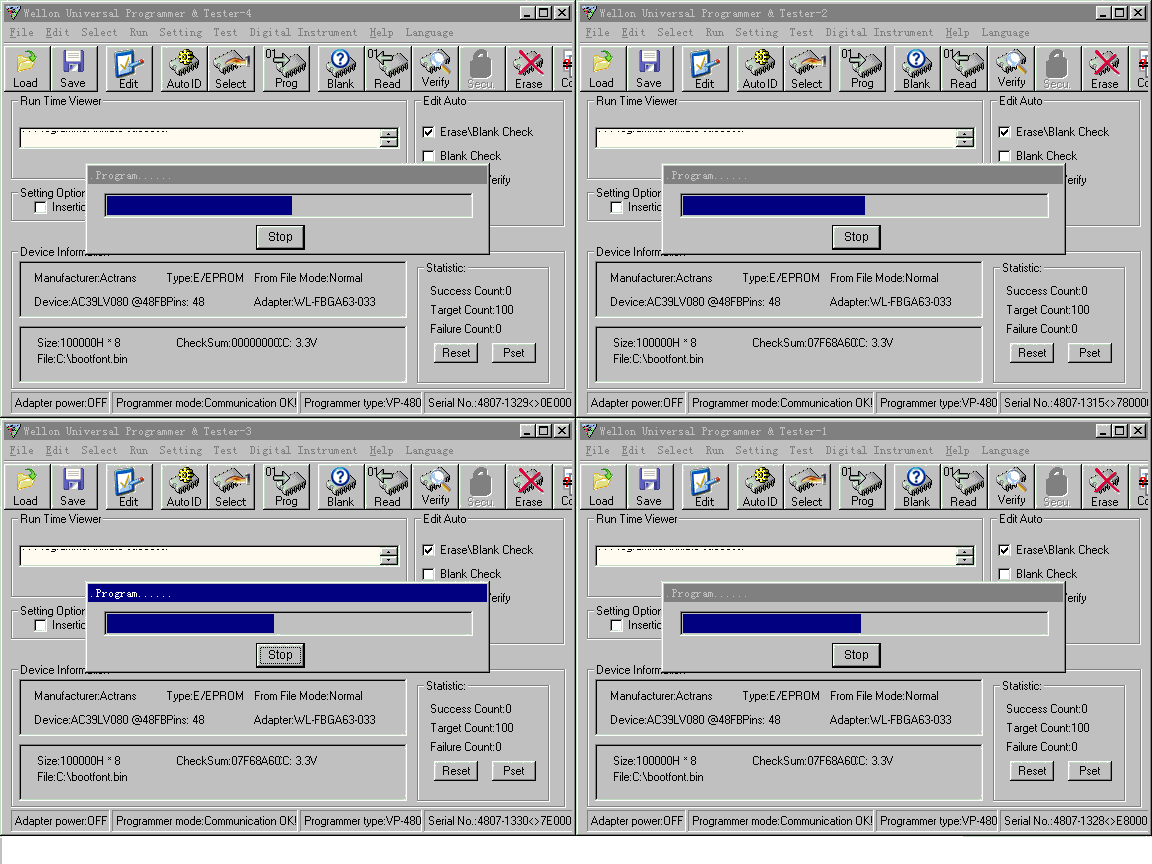
aaa5 Adjust the software
interface in order to several interfaces don't overlap each other.(like
the follow figure)
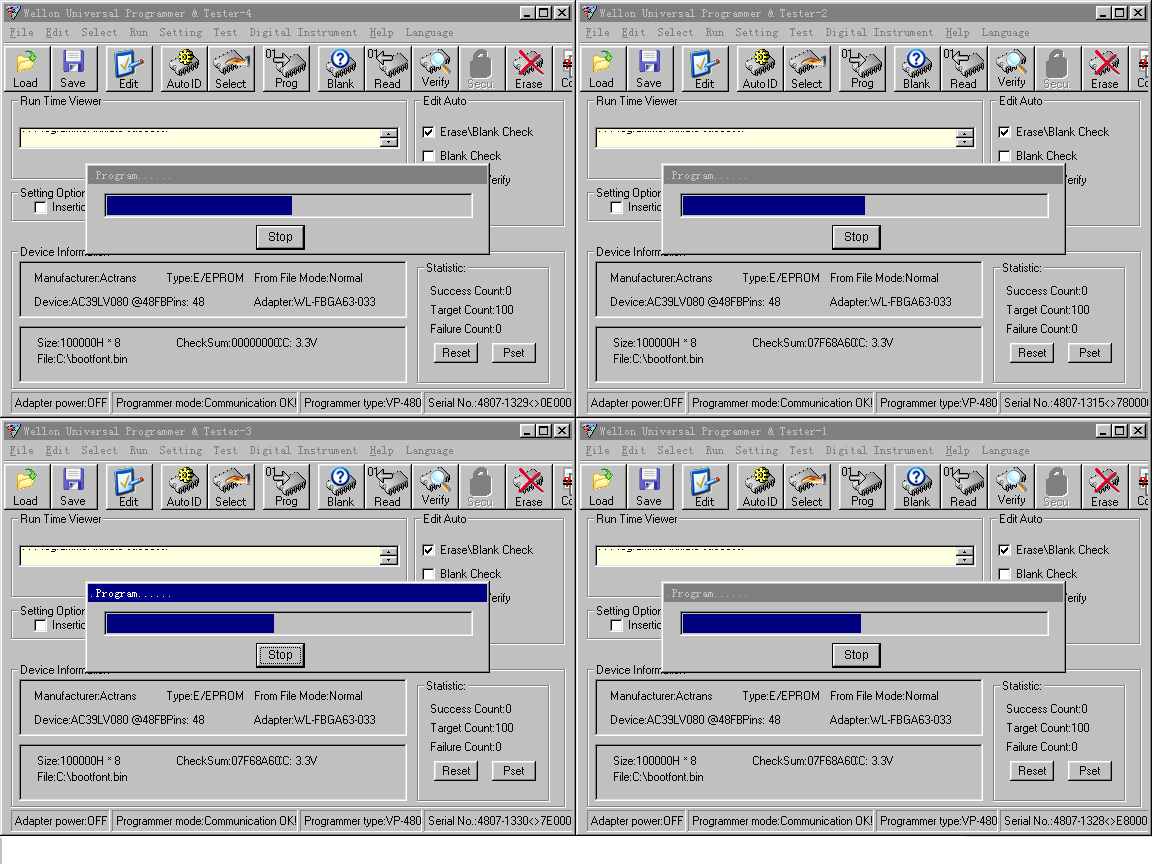
aaa6 In this multi-program
mode, when the programmer's GOOD yellow light or G/E green light
is lighting, it is mean that the program is completed. You can
change another chip on the programmer without modify the software.
NOTICE:
aaa1 Because the USB
port maybe have a power supply problem. So every programmer should
connect the external power.
aaa2 The function which
is sequence number auto increase is invalidation in this mode.
aaa3 The chip which you want to programmed
must be supported by the most
low-end programmer.
aaa4 You should only select the chip
model and the program file after the first programmer initialized,
because our programmer used a shared memory. It is mean that you
can immediately start the auto-program after the other programmer
initialized without select the chip or the program file. |









 Exclusive
agency.
Exclusive
agency.